

AI StudioUpdate
Create a product detail page from photos — structure, copy and design
Product ready, but stuck on the detail page? Add a product name and photos, and AI plans the page, writes the copy and arranges the images. Edit the result yourself, download it as images and upload it to your store. Here’s an actual example made for a lip balm.
We tried it with a lip balm
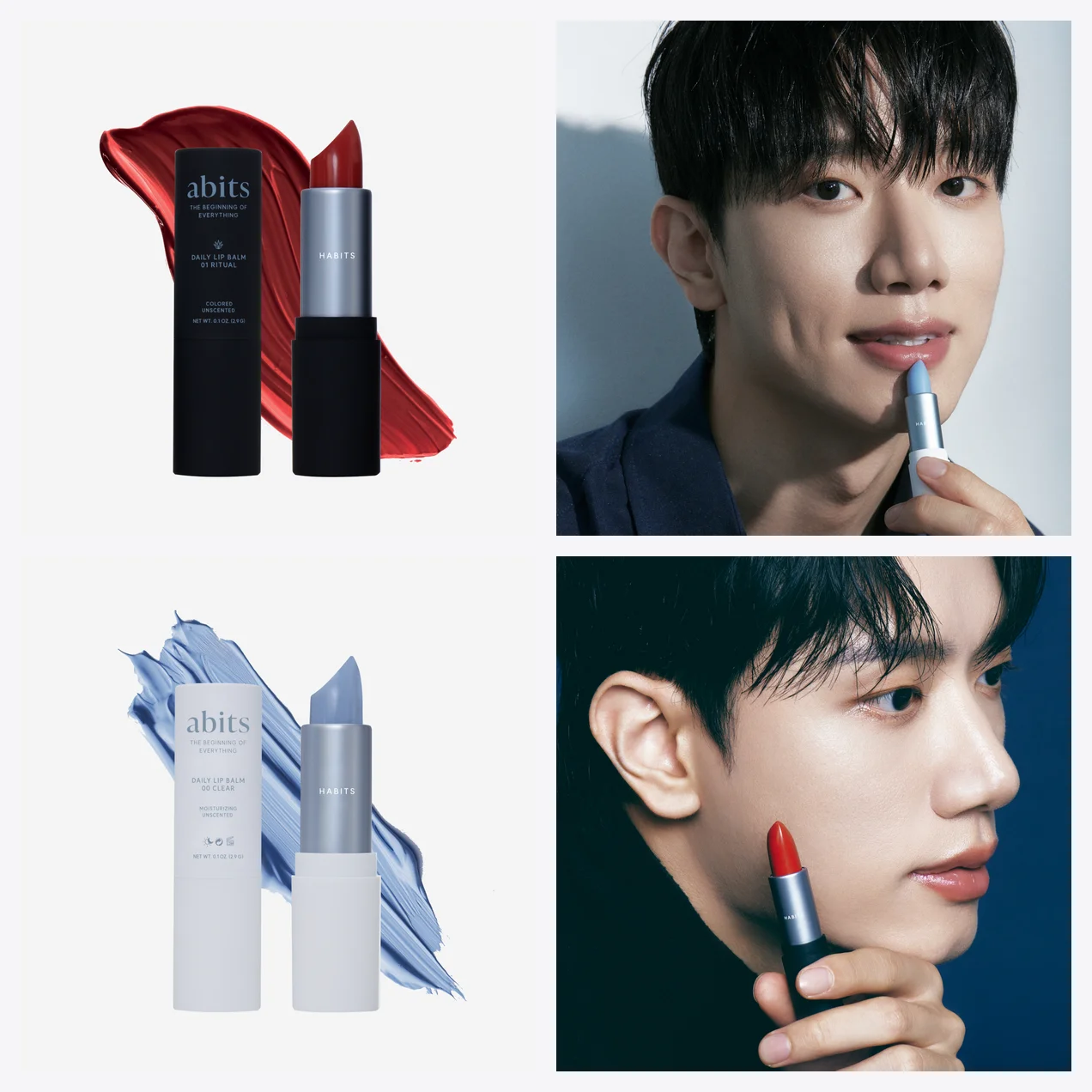
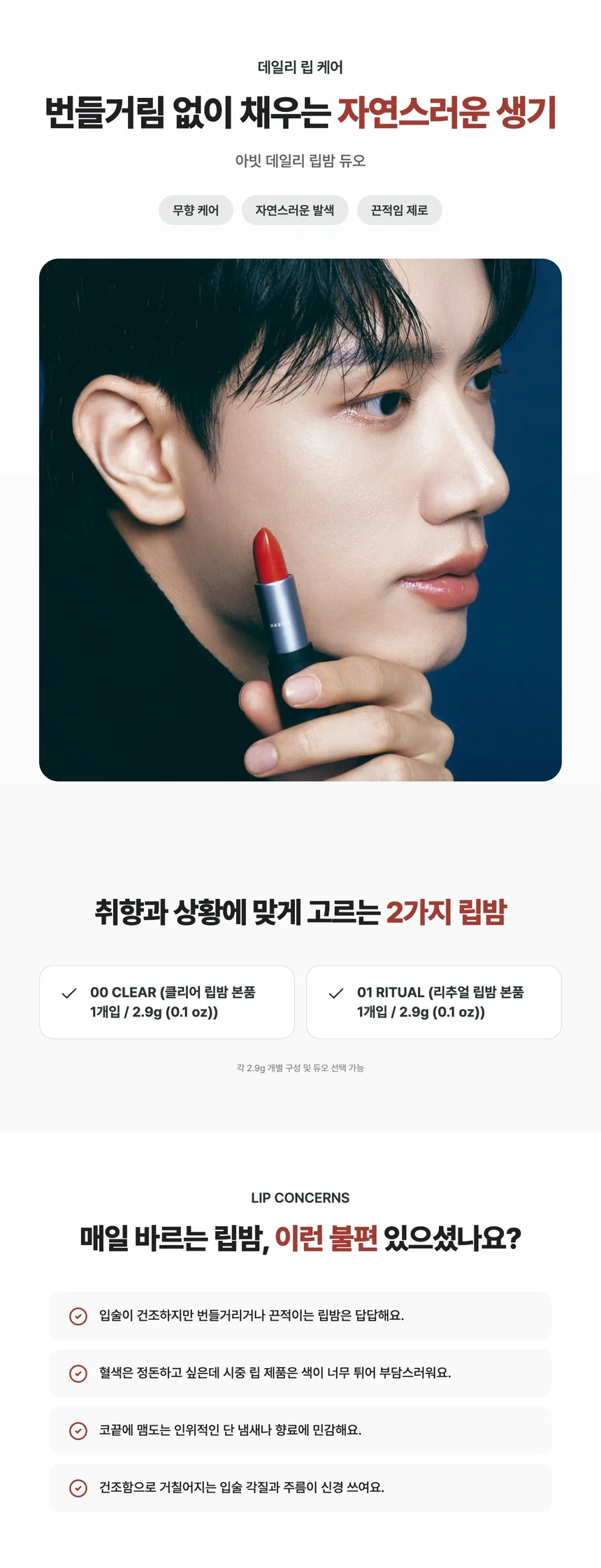
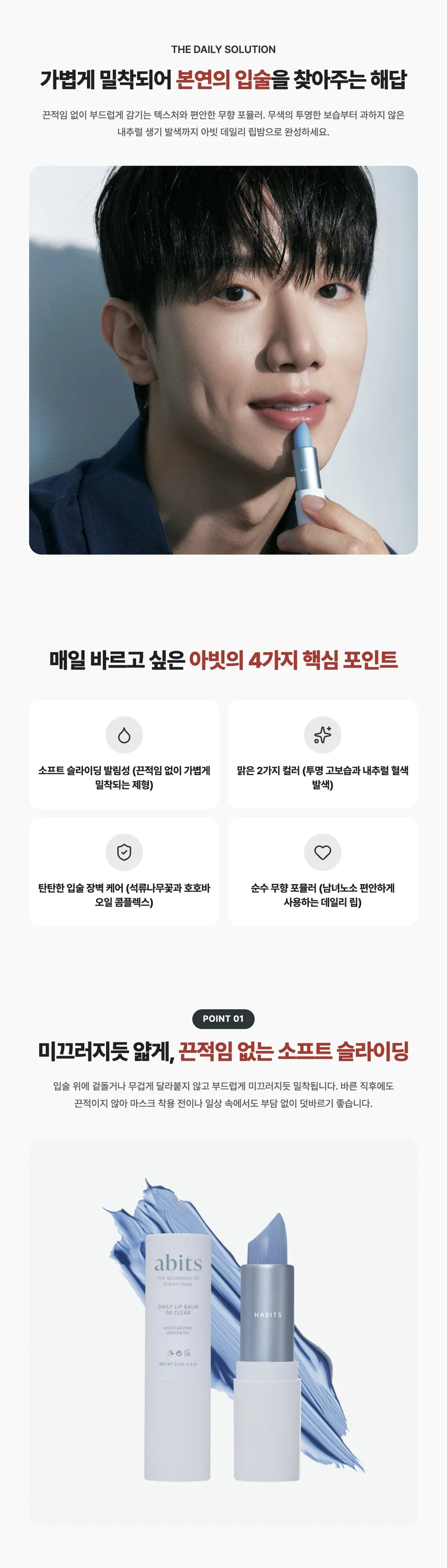
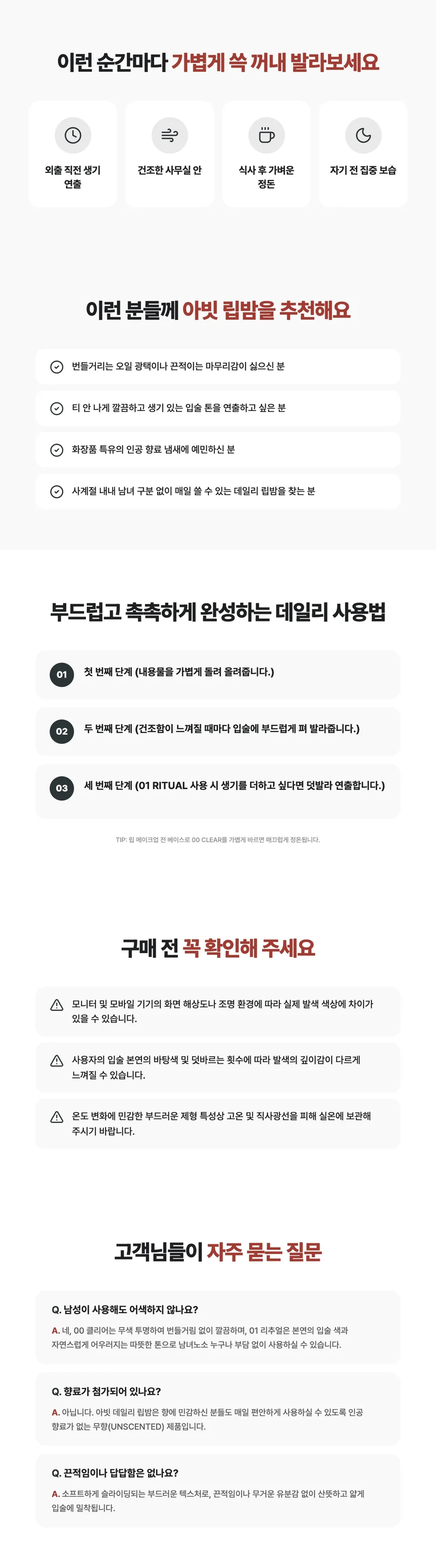
Built in the order that sells
- 1The layout of top sellersEach page is planned on a structure drawn from analyzing top-selling detail pages in its category. Cosmetics follow the flow that sells cosmetics, and food follows the one that fits food.
- 2Category, handledAI works out the category from the product name and photos. You can also pick it yourself.
- 3Choose the lengthPick a short version with just the essentials (about 10 sections) or a thorough long version (15–18 sections). The lip balm above came out with 18 sections.
- 4Photos in the right placeYour photos are placed to fit the flow of each section. Leave the brand color empty and we pick one that suits your photos.
Check exaggerated claims and see what needs review
- 1No invented reviewsA review section is made only when you paste in real customer reviews. Leave it empty and there’s no review section.
- 2A second check when it’s doneChecks for exaggerated or unsupported claims. Flags wording under “Must fix” or “Needs review” so you can check it.
- 3See what was cut and what was usedYou see the sections dropped for lack of evidence, plus the list of facts the text is based on.
Why the detail page is always the last hurdle
- 1Not sure what goes whereDetail pages that sell follow a flow: name the problem, show the fix, back it up and clear the last doubts. Planning that order from scratch is the hardest part.
- 2Writing takes foreverYou know the product better than anyone, but it reads flat once it’s written down. Headlines, key points and FAQs can eat up a whole day.
- 3AI-written text can overpromiseIt sounds convincing, but made-up numbers or invented reviews slip in. For tightly regulated products like cosmetics or food, that’s too risky to post as is.
- 4Every change means another requestOutsourcing means weeks of quotes, drafts and revisions. Even changing one line or one color means asking again.
Three steps and you’re done
- 1Upload photosUpload 1 to 10 product photos. The first one becomes the main photo, and you can drag to reorder. Adding usage, detail, set and texture shots gives better results. It also reads details such as volume and certification marks in photos and incorporates them into the product information.
- 2Enter product detailsThe product name alone is enough. Add key features and the text gets richer.
- 3Add what you want (optional)Set the target customer, tone, options, brand color and length, or leave them empty for AI to fill in. After you click “Create detail page,” it’s done in about 30 seconds, and it keeps going even if you leave the page.
Edit, download, and make it in other languages
- 1Change a line without rebuilding the whole pageClick text in the preview to jump to its editing field and change it. Rewrite only the sections you want with AI, and adjust their order and colors yourself.
- 2Rewrite just one sectionNot happy with a section? Click “Rewrite with AI.” Add a direction like “shorter and more emotional,” and only that section is rewritten. A set number of rewrites use no credits.
- 3Download as imagesWhen you’re done, download it as images and upload them to any marketplace or online store. Long pages are split so no content gets cut off.
- 4One page per languageSelect several languages to create a separate detail page for each. Each page is written and structured in its selected language from the start. You can still enter the product information in Korean.
All you need to start is one product photo and a product name. If a generation fails, the credits are refunded automatically.