

CampaignsGuide
Creating a CPA campaign: paying out on product sales
In a CPA campaign, creators sell a product and share the proceeds with you.
What changes compared with CPV
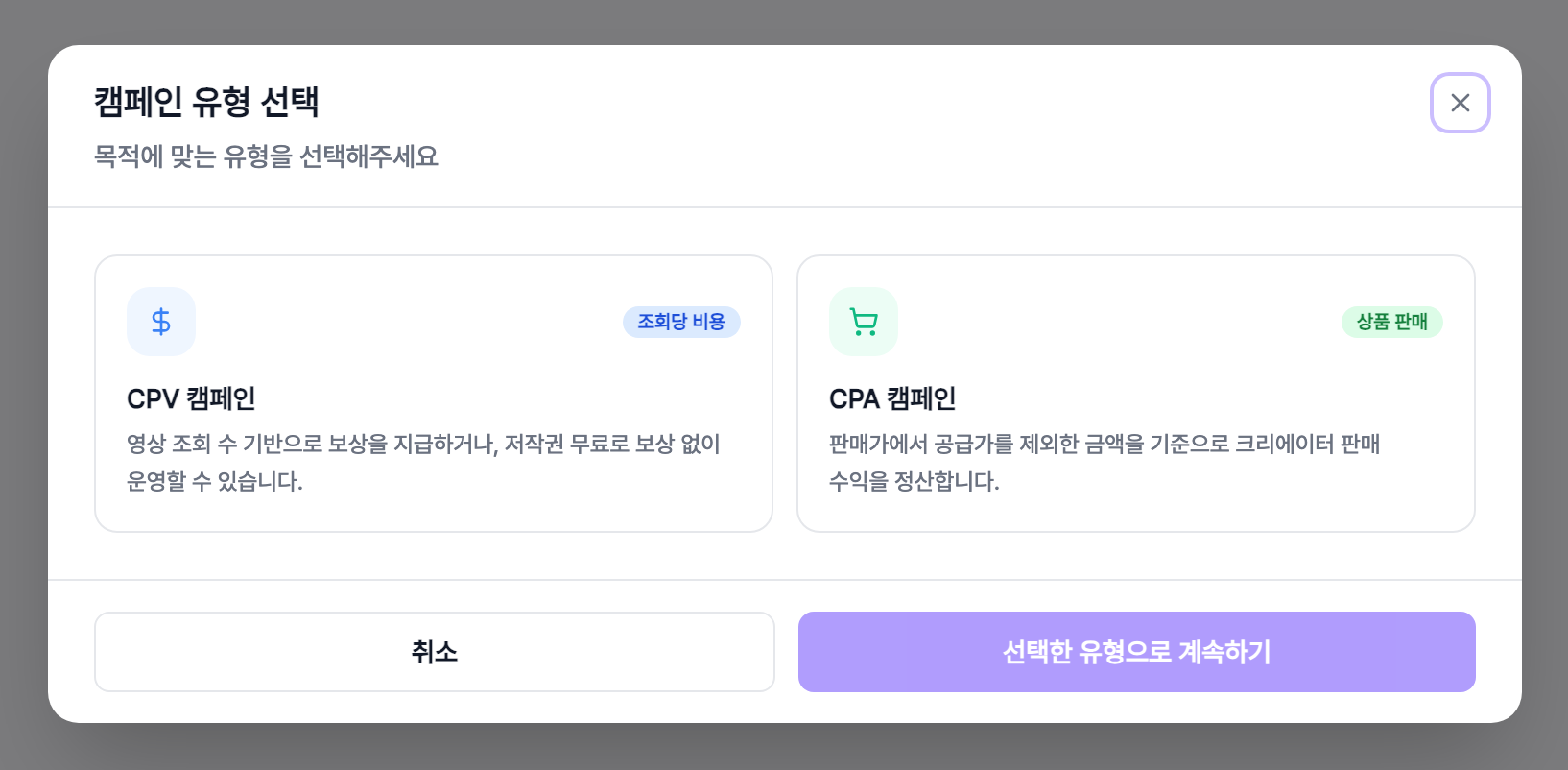
- 1Sales instead of viewsThere is no total budget or reward field. You settle on what actually sells.
- 2Two sections replace the budget oneProduct information and sales and stock settings take the place of budget and rewards.
- 3No templatesCPA campaigns do not use the video template or media guide section.
Product information
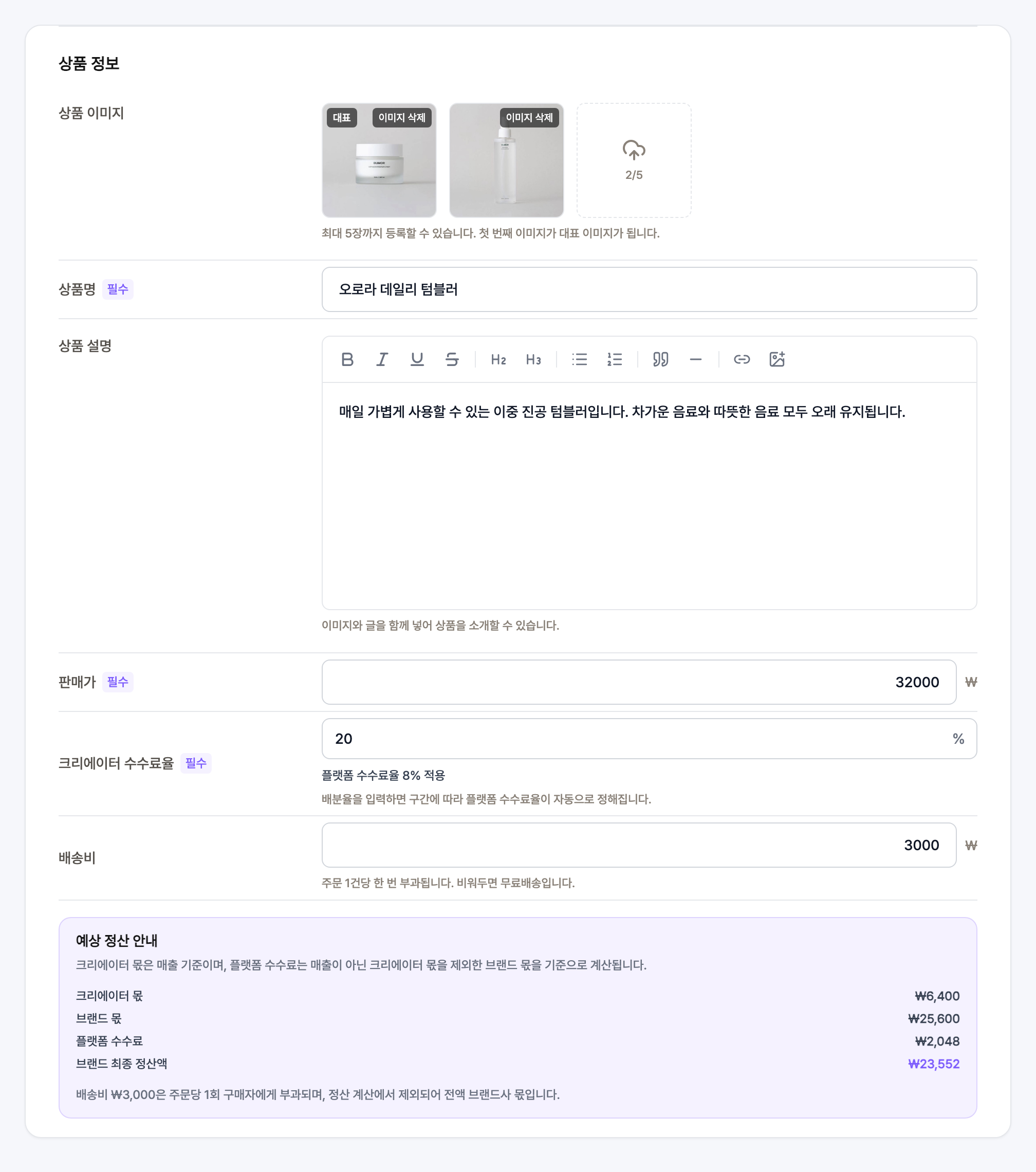
- 1Product imagesUp to 5 images. The first one becomes the primary image.
- 2Name and descriptionThe description takes images alongside text, so you can lay the product out properly.
- 3Sale priceWhat the buyer actually pays. Every settlement figure is calculated from this number.
- 4Creator share rateEnter a number between 1 and 30. The platform fee rate is then set automatically by which tier that falls into.
- 5Shipping feeCharged once per order. Leave it empty for free shipping.
How the settlement is calculated
- 1Creator shareThe sale price multiplied by the creator share rate.
- 2Brand shareThe sale price minus the creator share.
- 3Platform feeCalculated on the brand share, not on revenue.
- 4Brand final payoutThe brand share minus the platform fee. The panel recalculates live as you type the numbers.
- 5Shipping sits outsideThe shipping fee is excluded from the settlement and goes to the brand in full.
Sales and stock settings
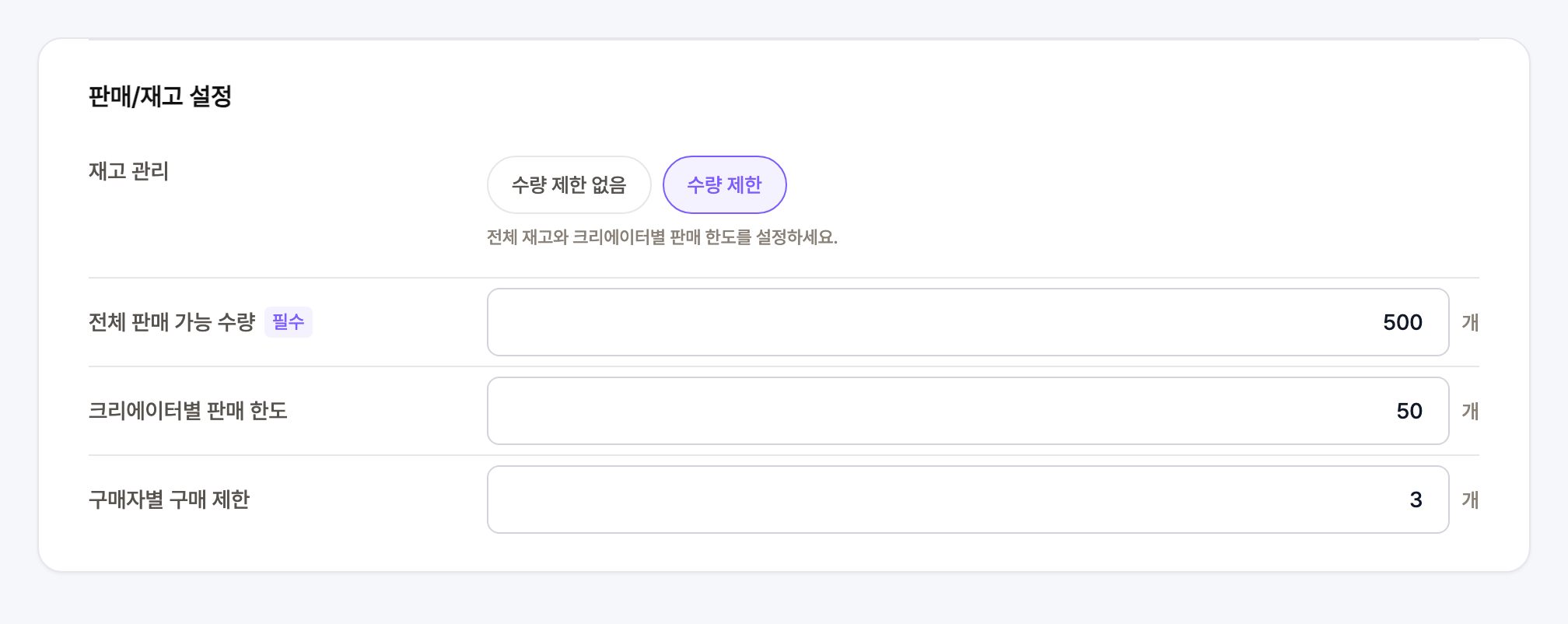
- 1Stock managementChoose between unlimited and limited. If you limit it, the total available quantity becomes required.
- 2Per-creator sales limitThe maximum number of units a single creator may sell.
- 3Per-buyer purchase limitHow many units one person is allowed to buy.
Before you request approval
- 1The fields you cannot skipProduct name, sale price and creator share rate all have to be filled in, or approval cannot be requested.
- 2Save draftA campaign name is enough to save and finish the rest later.
- 3The review dialogRequest approval shows product name, sale price, stock and sales limits together on one screen.