

CampaignsUpdate
Run one campaign, country by country
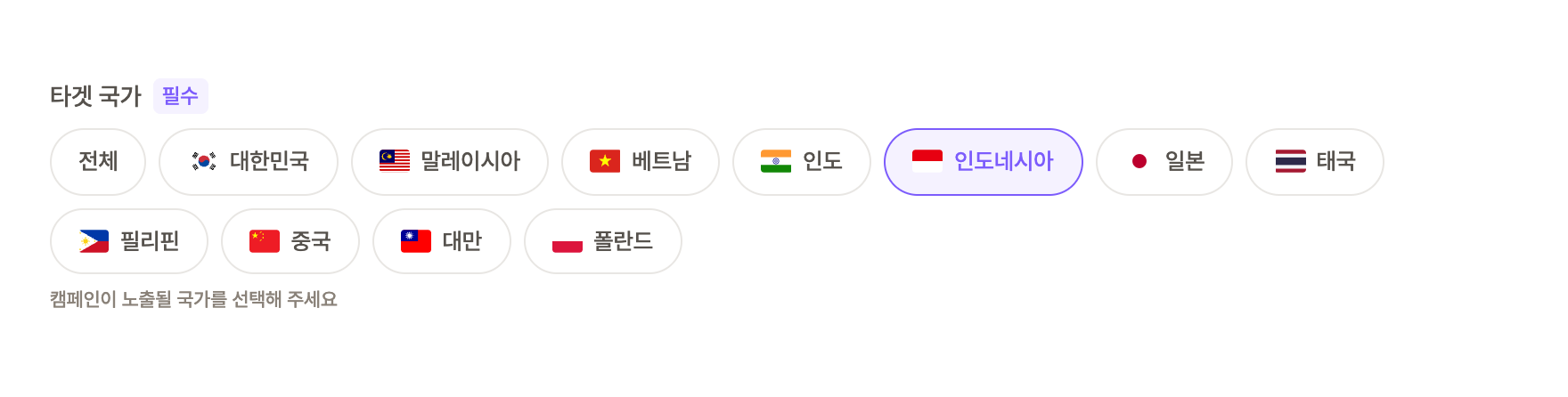
You can now choose which countries a campaign appears in. Set target countries and only creators whose account country matches will see it.
Different terms per country
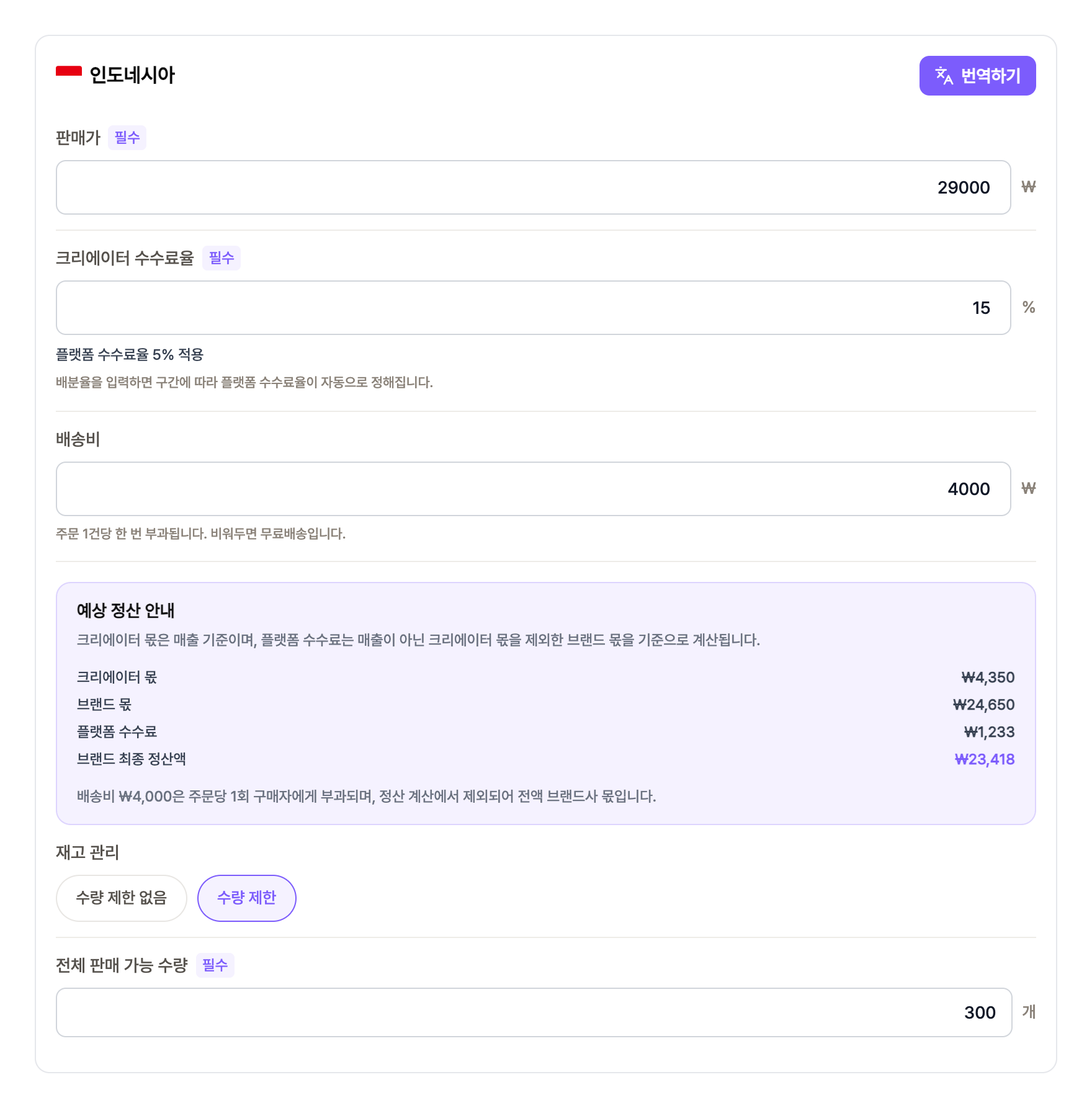
- 1In CPA campaignsSelect a country chip and a per-country panel appears right below. Set sale price, creator share rate, shipping fee and stock for each country.
- 2Fee rate follows the share rateEnter the creator share rate and the platform fee rate is set automatically by tier, with the brand's final margin calculated on the spot.
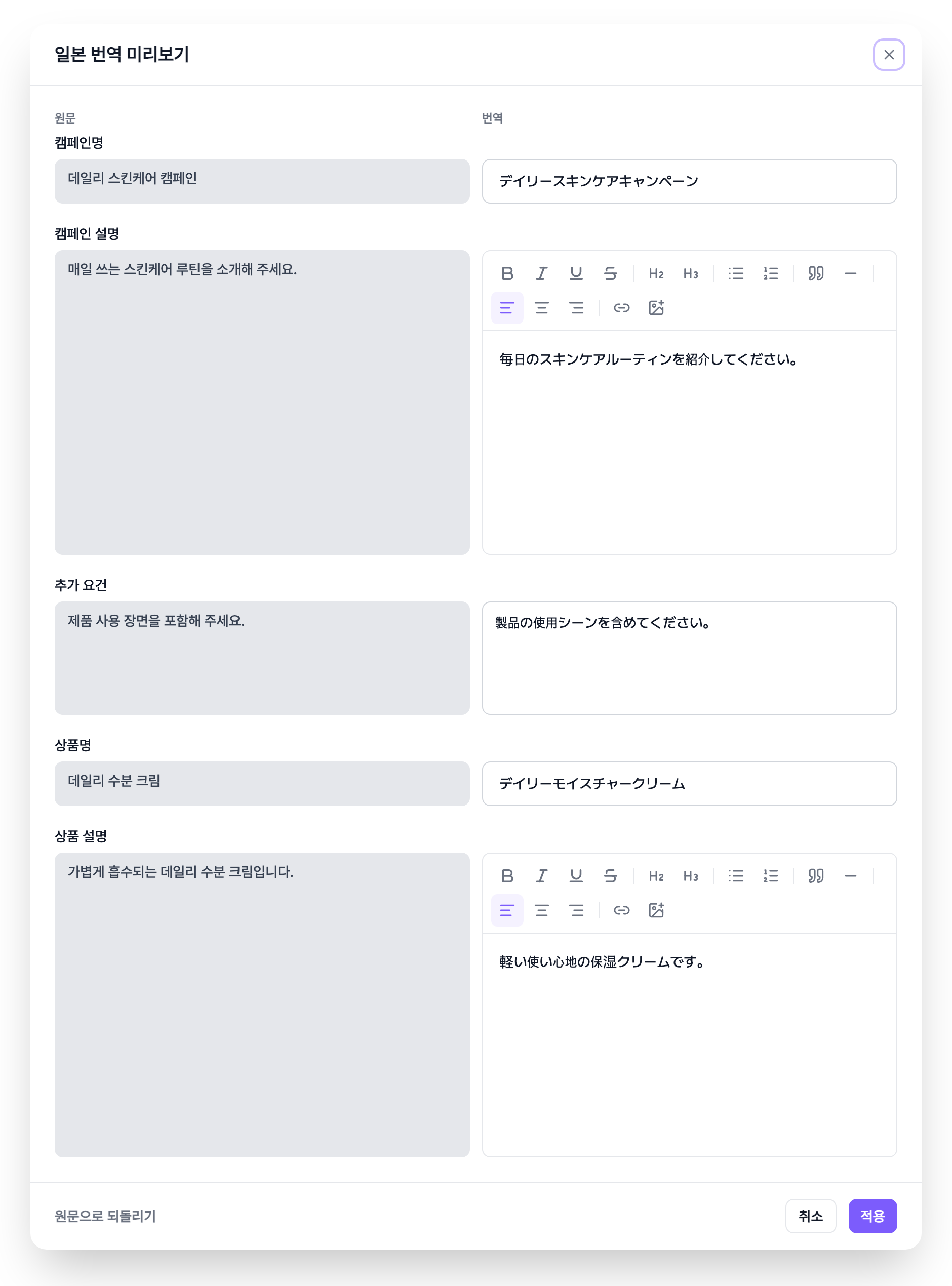
- 3TranslateHit 'Translate' on a country card and the title, description and guidelines are translated into that country's language. Review and edit them side by side with the original in 'View/Edit'. If the original changes, the card is flagged 'Source changed'.
Create once, manage per country
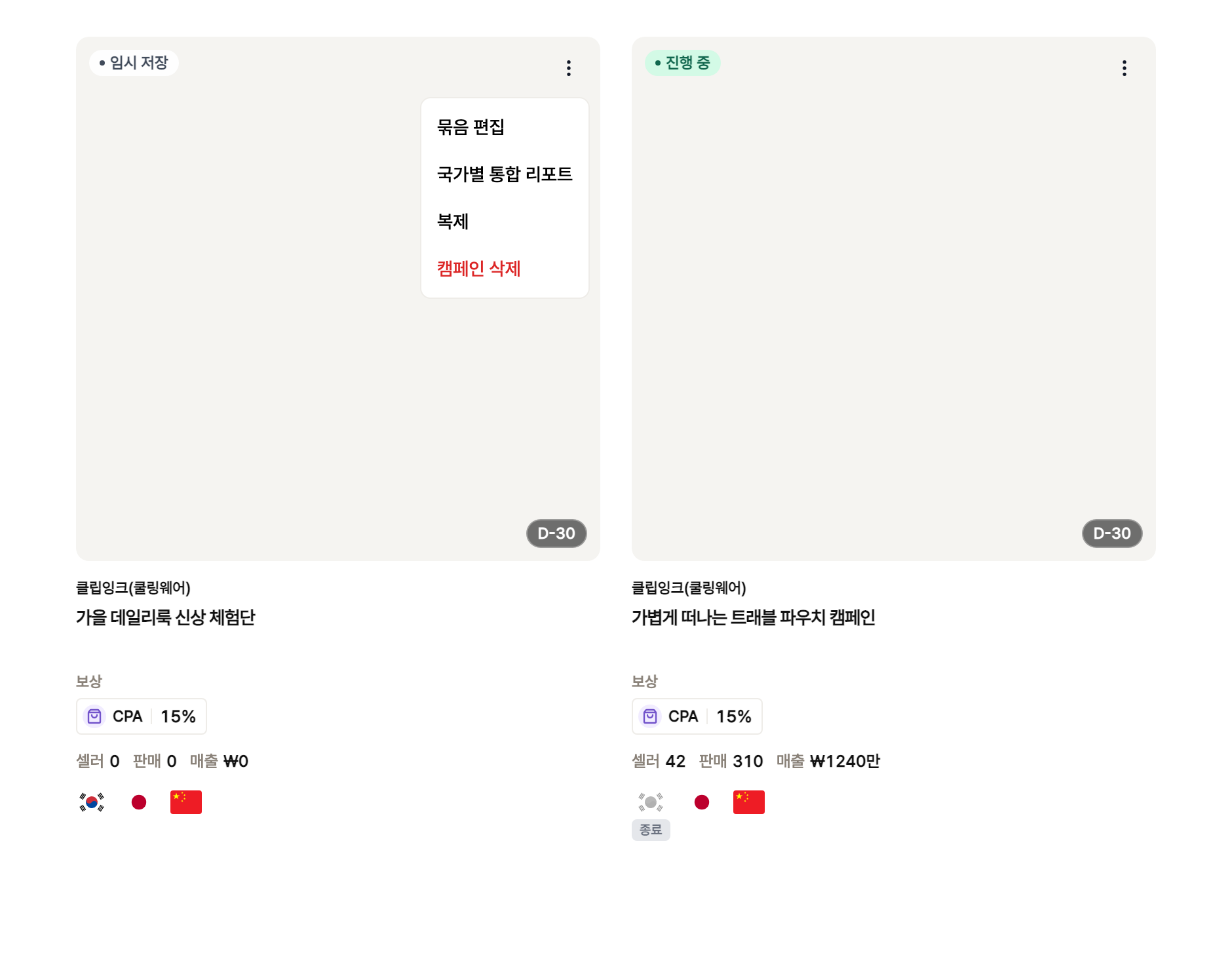
- 1Registered as a groupPick several countries and the per-country campaigns are created as one group. Your campaign list shows them as a group too.
- 2Edit group · Edit by countryWhile in draft, 'Edit group' lets you add or remove countries and change terms all at once. After review, pick a country and edit just that campaign.
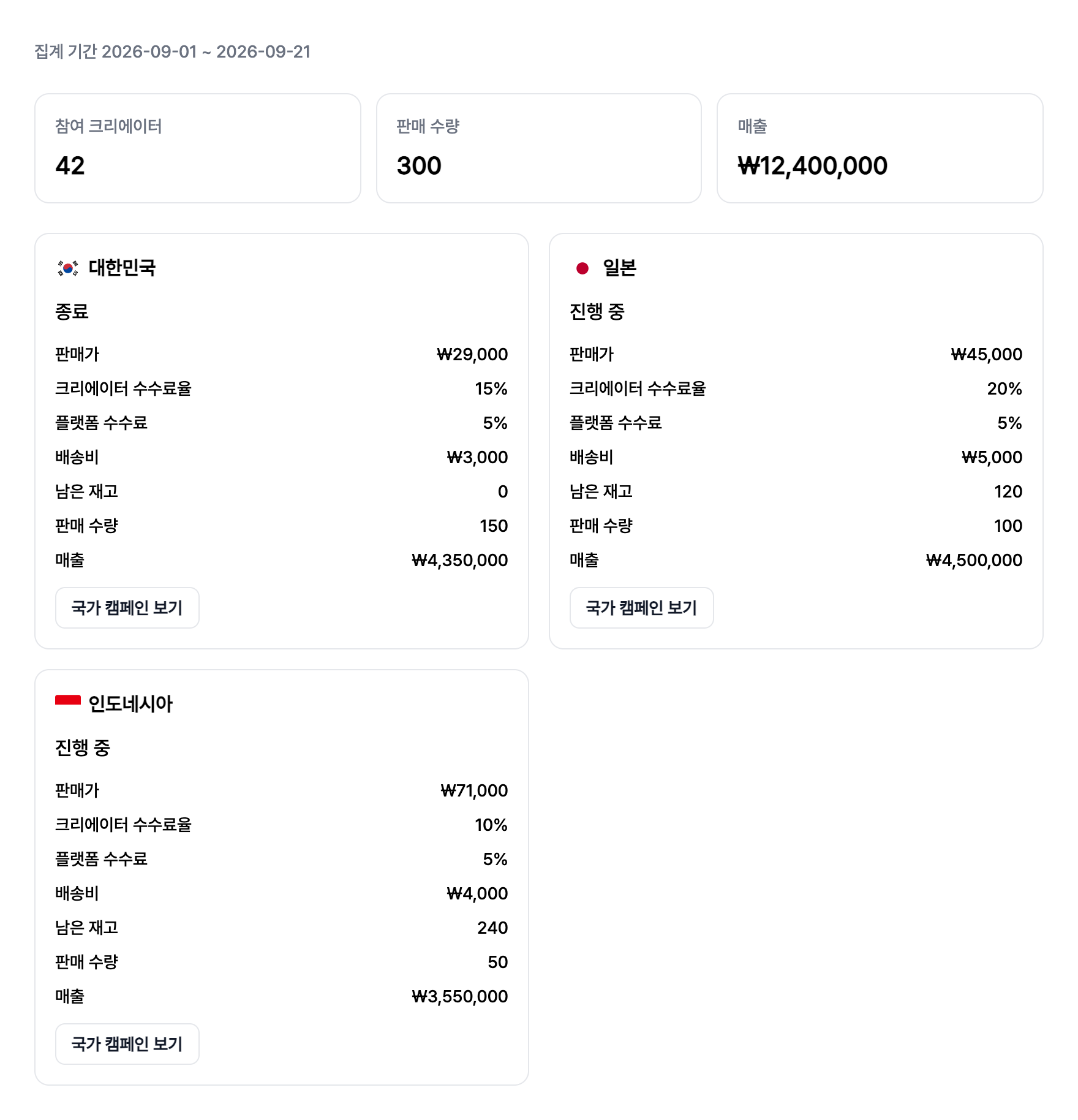
- 3Combined country reportCompare units sold, revenue and participating creators per country on one screen. In campaign details, a country switcher jumps to the other countries in the same group.
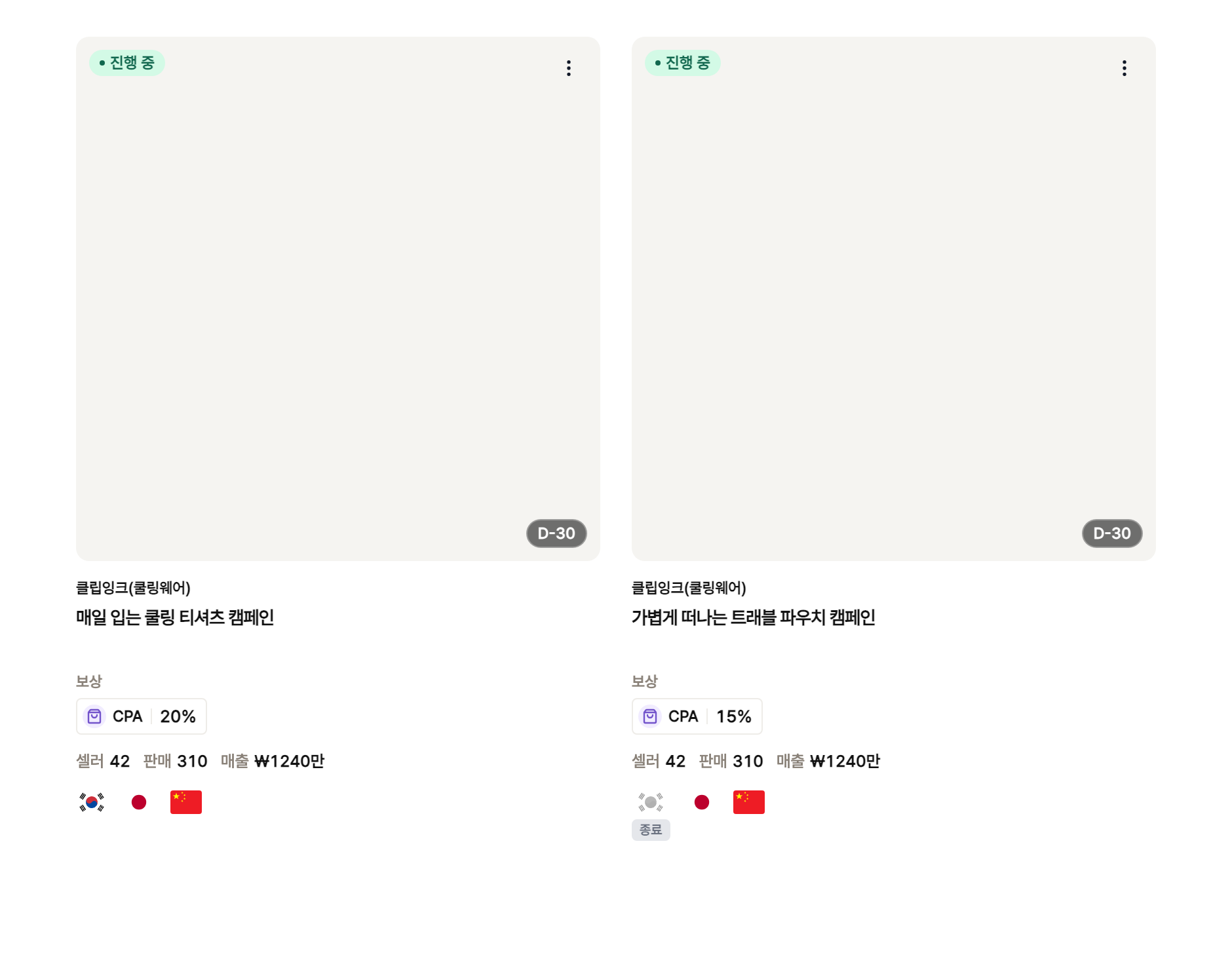
At least one target country is required, and countries can't be changed once the campaign is under review. To change countries, duplicate and register again.